
See it
A real 3D scene they can turn with a finger. Numbers on the board change as they move things.
Grades 6 to 8 · Common Core
Kids learn slope on a skateboard ramp, volume in a fish tank and equations at the fair. Every lesson is a 3D scene with a narrator, practice with hints, and a tutor that never just hands over the answer.
One tap, no sign-up. The demo uses a sample class with made-up students.
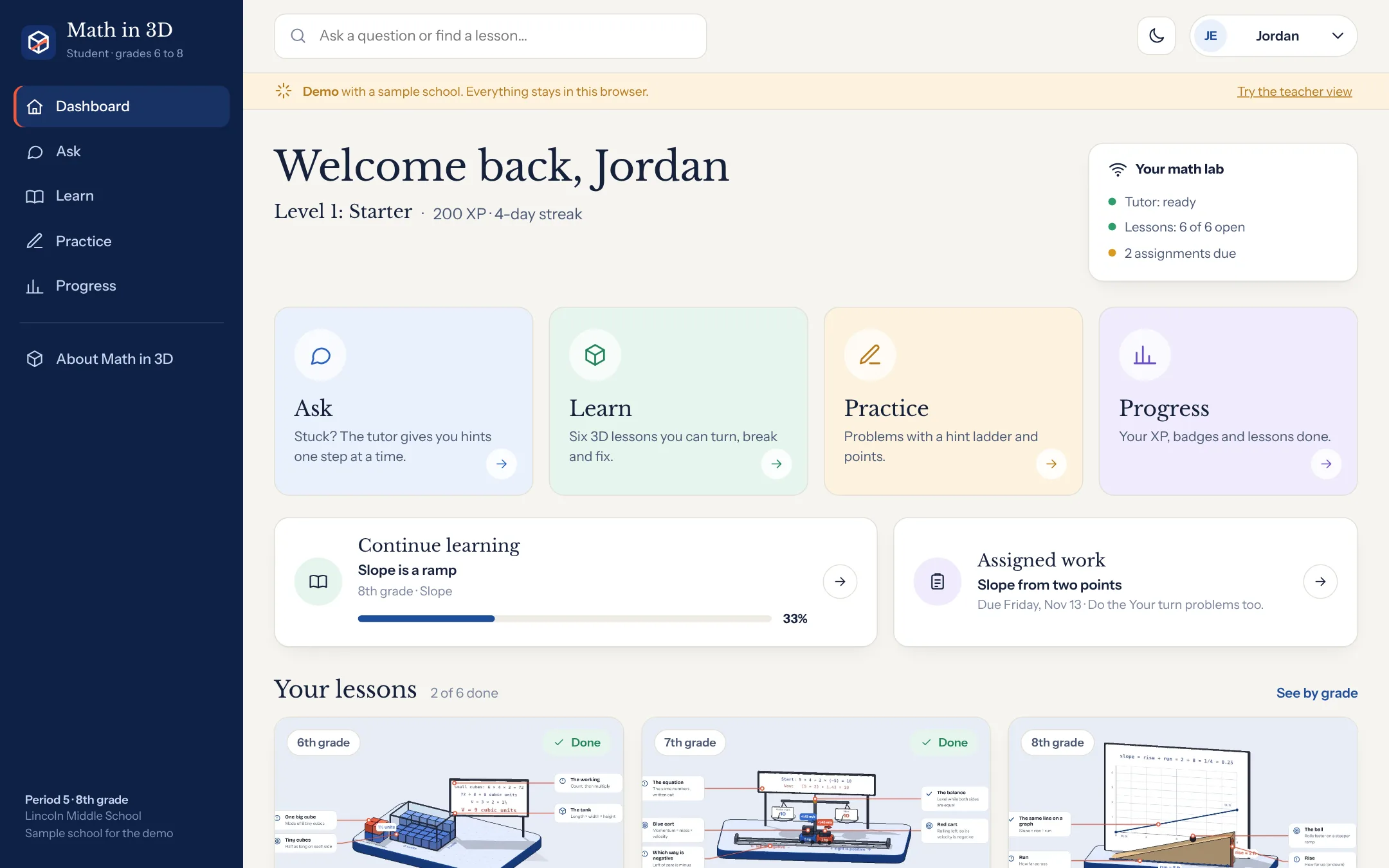
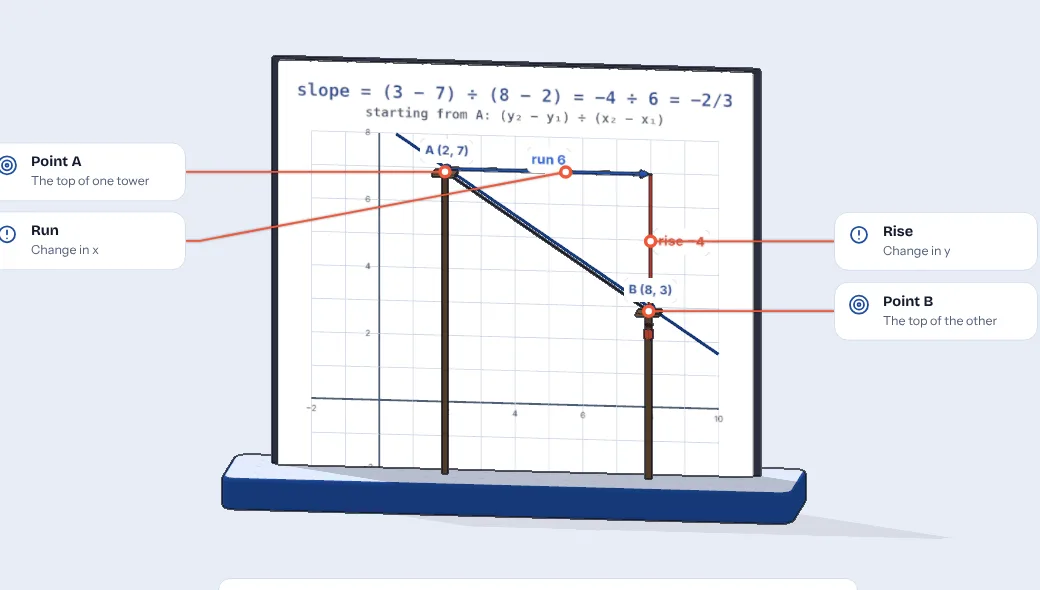
Math in 3D puts the idea in front of them first: cubes filling a tank, a ramp getting steeper, tickets adding up to 18. The formula shows up after, and it finally makes sense.
A real 3D scene they can turn with a finger. Numbers on the board change as they move things.
Each lesson has three classic mistakes built in. Press one and watch the answer go wrong, and why.
Six problems per lesson, each with three hints, and a three-question check at the end.
The lessons
Each one is explained like you'd explain it to a 9-year-old, with things kids already know.
How a lesson works
A narrator walks through seven short steps while the camera moves to each part.
Sliders and buttons change the scene. The math on the board updates live.
Three common mistakes, shown on purpose, each with a plain reason it's wrong.
Six problems. Type an answer, climb the hint ladder only if you need to.
Three quick questions. Get all three and the lesson is saved as done.
The tutor
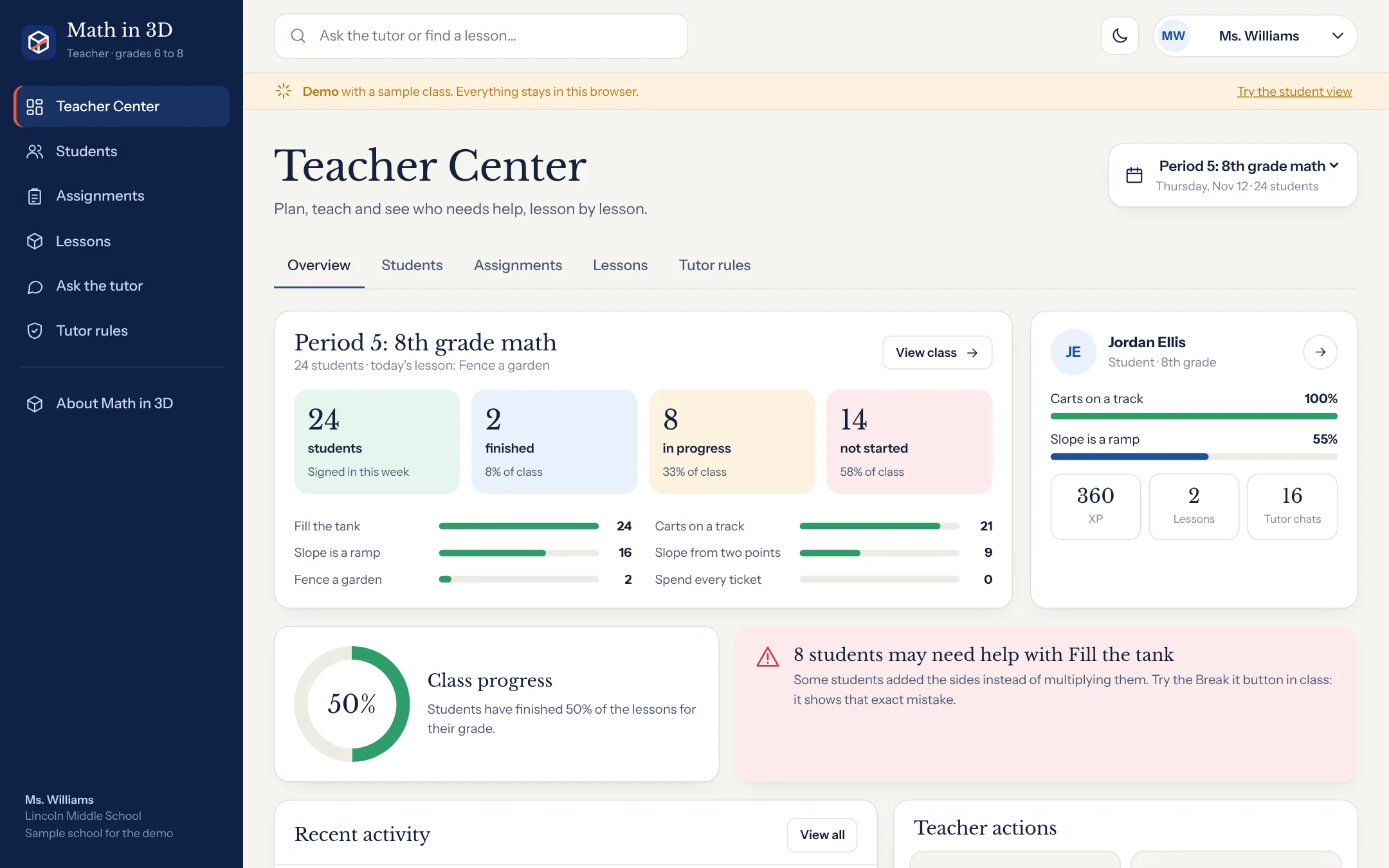
For teachers
Written for kids
Short sentences. One idea at a time. Every math word gets a kid word right after it.
Pricing
$0
For a kid at home
$9per teacher a month
For one teacher, up to 3 classes
Custom
For a whole school
Grades 6 to 8, mapped to Common Core. Today: 6.G.2 (volume), 7.NS.1 and 7.EE.4 (negative numbers and equations), and 8.EE.5, 8.EE.6, 8.EE.8, 8.F.3 and 8.F.4 (slope, lines and solutions). More lessons are added every week.
Yes. It runs in the browser with nothing to install. Phones and tablets get a lighter version of the 3D scene so it stays smooth.
No. In homework and practice it only gives the hints written for each problem, one at a time. That rule is in the code, so a student can't talk it out of it.
In the demo, nowhere: everything stays in the browser. In a school, accounts and the tutor run on the school's own lab box, and student questions are never sent to us.
About 10 to 12 minutes with the narrator, plus practice. It works as a warm-up, a full class activity on the board, or homework.
Yes. Open the teacher demo to see everything, then ask us about a pilot. We set up your classes and add the lessons you teach next.
One tap and you're inside, as a student or a teacher.